
Welcome to Orchid+ – A Fresh Way to Play June’s Journey!
We’re thrilled to introduce you to Orchid+, the ultimate way to enjoy June’s Journey with exciting features and exclusive rewards. Whether you're a seasoned sleuth or in the beginning of your adventure, Orchid+ offers something special for everyone. This guide will help you navigate the most common questions and make the most of your Orchid+ experience.

What is Orchid+?
Orchid+ is a new version of the June’s Journey app, available on Android devices and web browsers. It works just like the regular app but comes with unique content and special offers.
Orchid+ is the best place to play June’s Journey, featuring exclusive options like Collect All Coins and Find Your Shrubs, as well as unique events. Plus, you’ll receive up to 15% bonus on any diamonds, coins, and other purchases you make in the game!
To use Orchid+, you’ll need a June’s Journey account linked to Facebook or Google. Orchid+ is designed for existing players, so just log in with your usual credentials and your game progress will carry over seamlessly. Please note that it’s not possible to create a new account through Orchid+ and it’s not available on Google Play.
What’s different about Orchid+?
When you play on Orchid+, you’ll notice:
- Exclusive Features – Enjoy perks like daily bonuses, unique events, and quality of life features.
- Bonuses on all of your purchases – get up to 15% bonus on every offer that contains diamonds, coins and other resources!
- Same Progress – easily connect your existing June’s Journey account and seamlessly transfer your progress by connecting via Facebook or Google.
Who can access Orchid+?
All June’s Journey Detectives can access Orchid+ – get going!
On an Android device, you can download the app directly by visiting the link: https://orchidplus.junesjourney.com/.
If you’re playing on any other device, you can play via the web at https://www.junesjourney.com/.
How do I install Orchid+?
Getting started is easy!
Follow the how-to video on the download page or the steps below to download and install the Orchid+ app on your Android device:
1. Go to the Orchid+ download page:
Visit https://orchidplus.junesjourney.com/.
2. Choose your cookie settings if prompted.

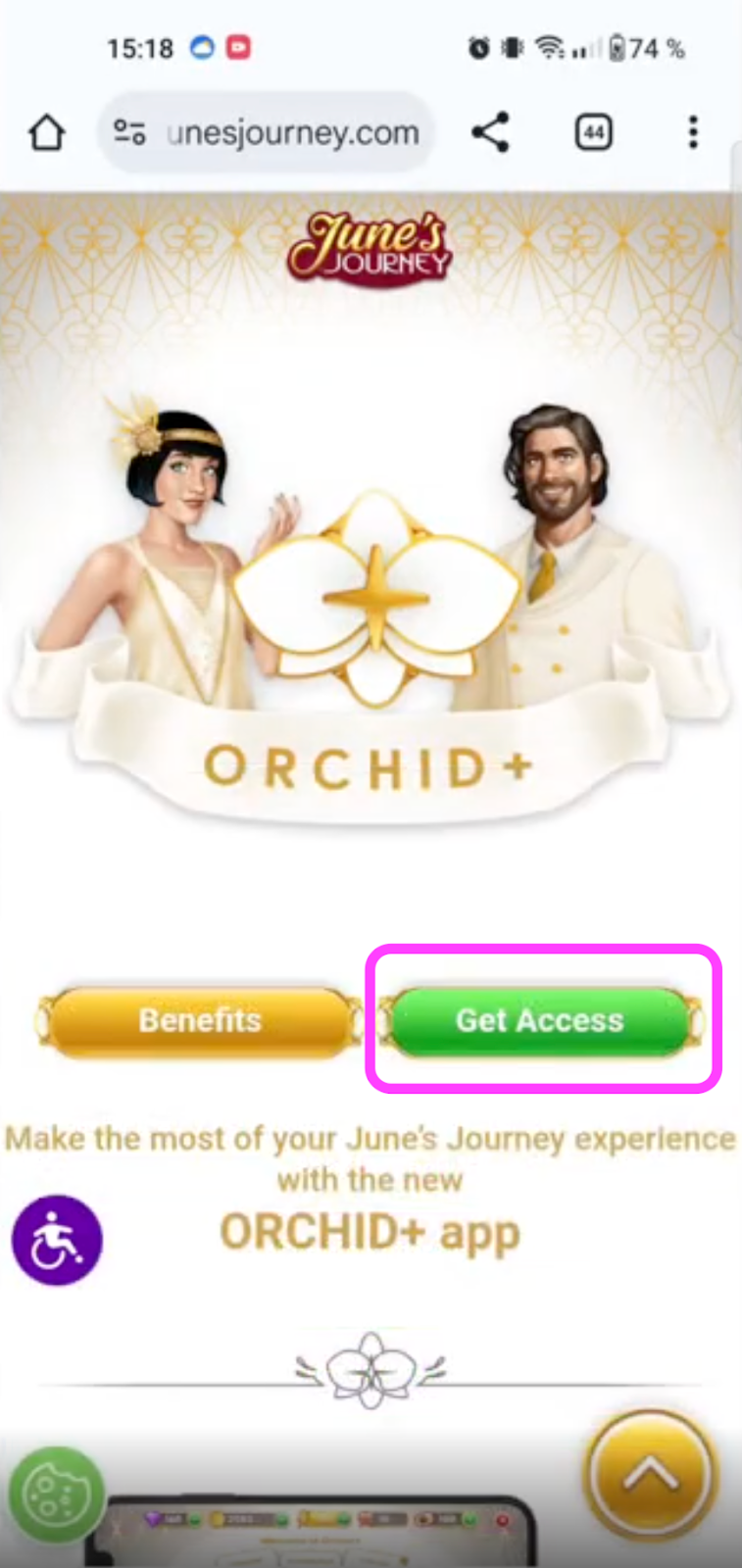
3. Click the “Get access” button:
- At the top of the page, click the “Get access” button. You’ll be redirected to detailed instructions.
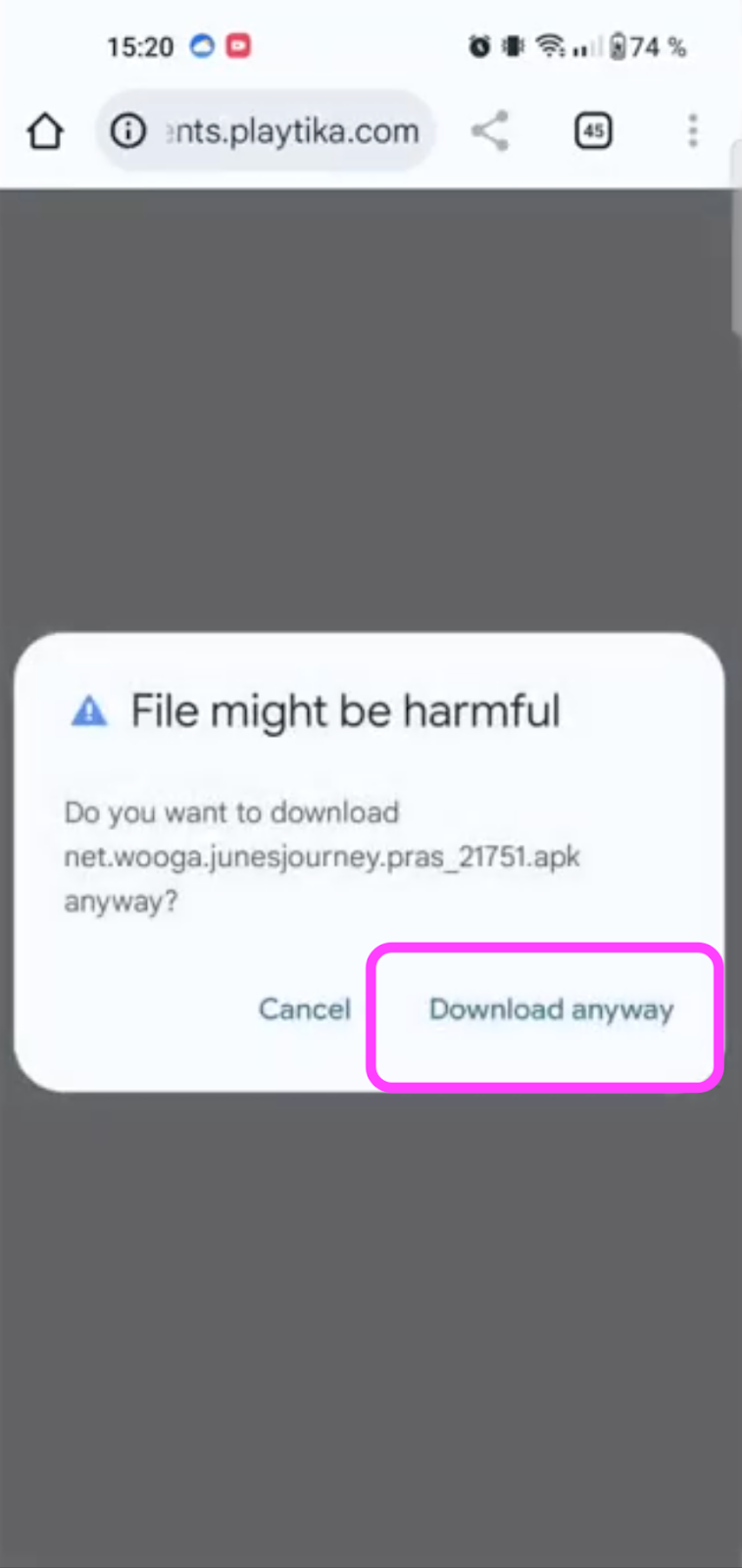
4. Click the “Download” button:

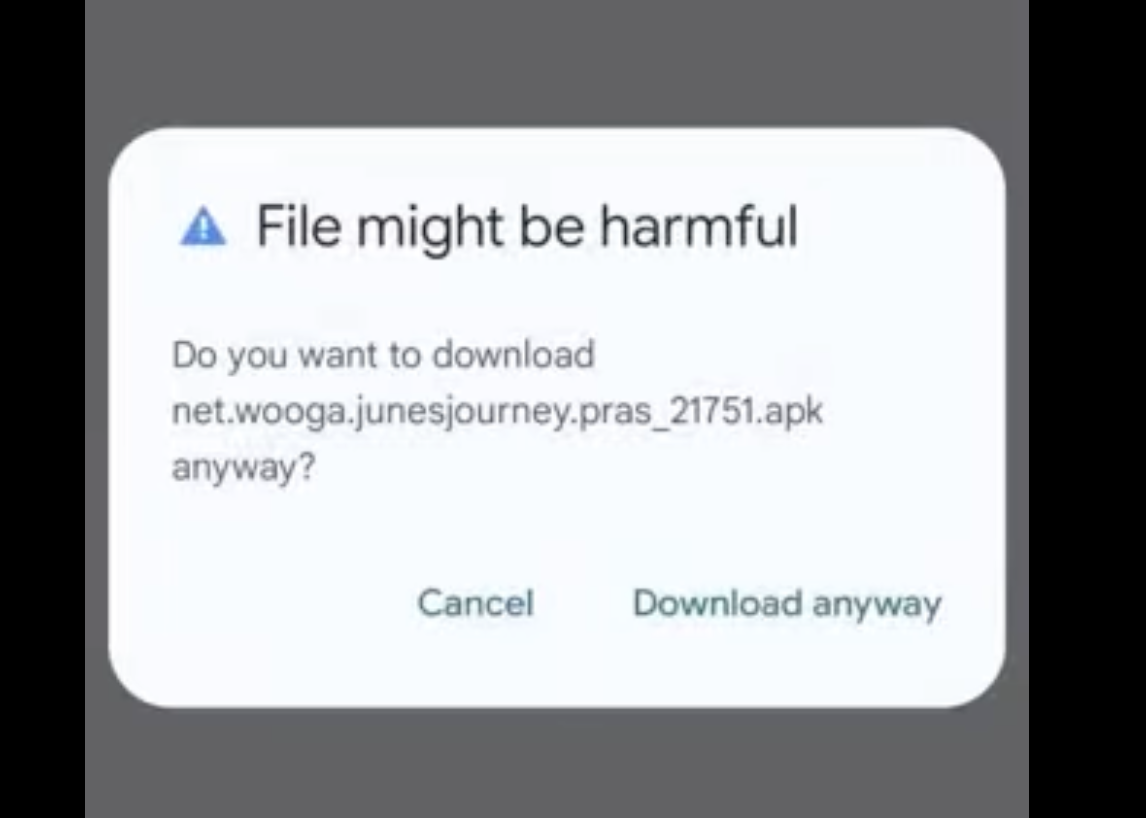
A warning pop-up from Google may appear saying “File might be harmful”. This is standard for apps outside Google Play. The file is safe to download, and you can select the option “Download anyway”.
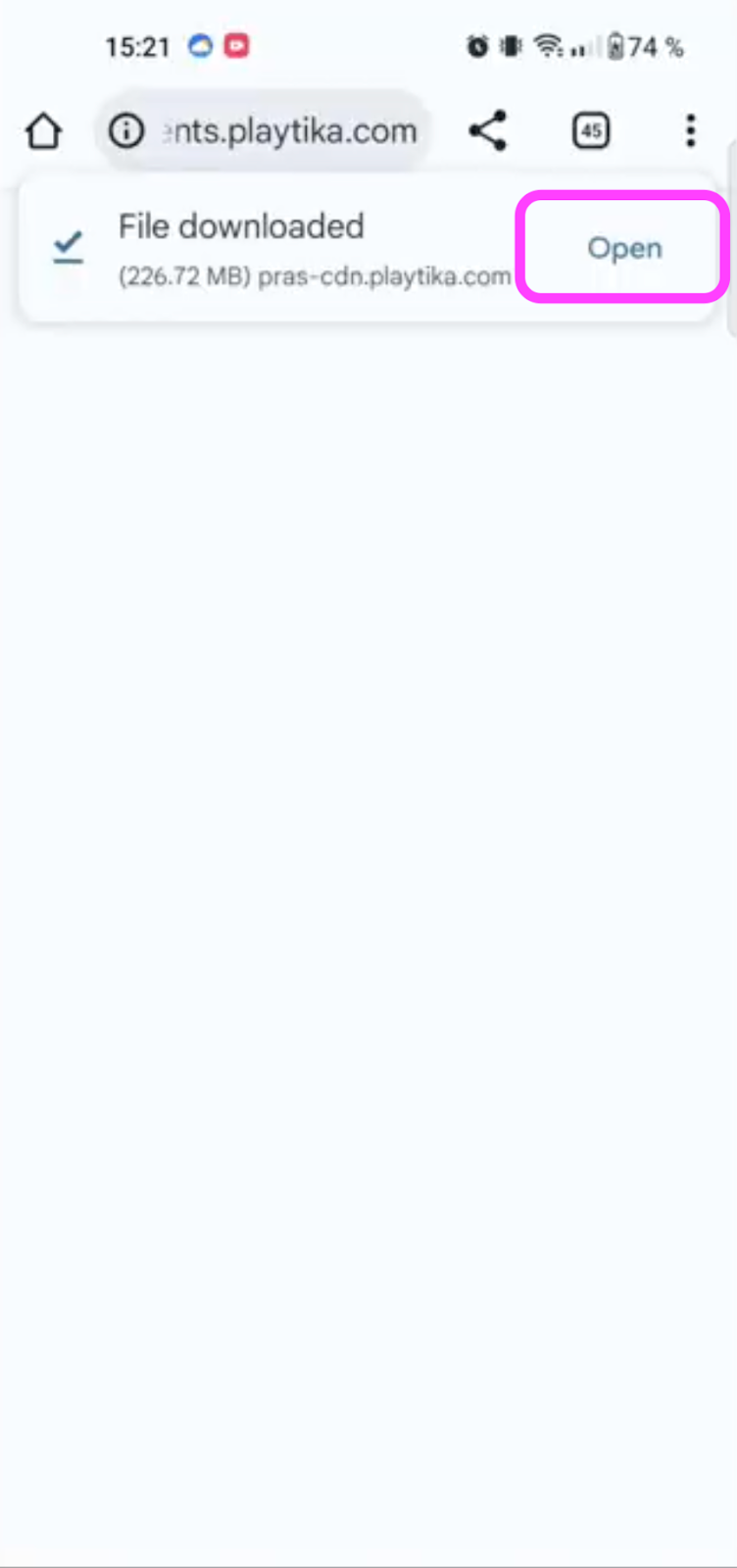
5. Wait for the download to finish:
- You’ll see the progress on your device. When complete, tap “Open”.
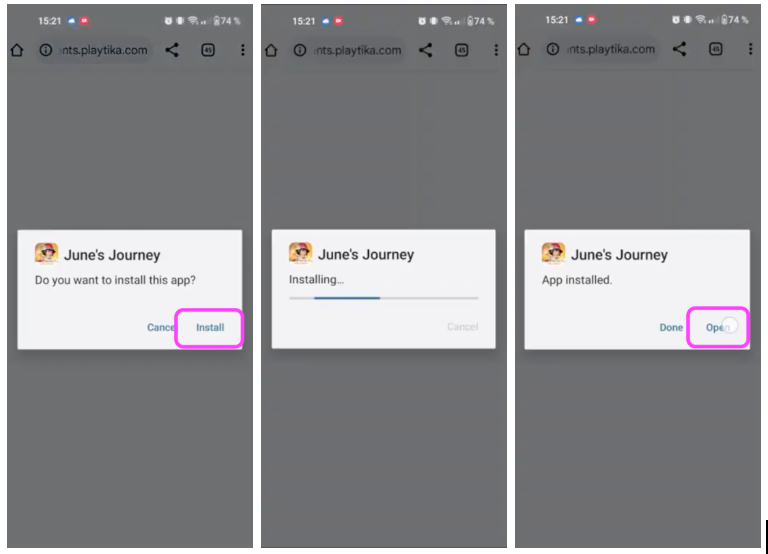
6. Install the Orchid+ app:
- A pop-up will ask if you want to install June’s Journey on your device. Tap “Install”.
- You’ll see the installation progress, and once done, tap “Open”.
7. Launch Orchid+:
- The Wooga loading screen will appear, and your June’s Journey Orchid+ app will open.

8. Sign in to your account:
- A welcome pop-up will prompt you to sign in to load your existing game progress. Tap “Let’s go!”

- Choose your preferred sign-in method (Facebook or Google) and log in using the credentials linked to your existing June’s Journey account.

All set! You’re ready to enjoy Orchid+.
Keep in mind:
- It is not available on Google Play.
- Orchid+ is currently not compatible with iOS devices.
Can I download Orchid+ app on iOS?
No, if you’re using an iOS device, you won’t be able to download the Orchid+ app.
But don’t worry - you can still enjoy many Orchid+ features by playing via the web:
https://www.junesjourney.com/.
Will my progress be saved?
Yes! Your game progress is linked to your Facebook or Google account. Simply log in with the same credentials you use for your regular June’s Journey app, and you’ll pick up right where you left off.
If you don’t see your usual progress after logging in, double-check that you’re using the correct Facebook or Google account linked to your game. We recommend opening your regular June’s Journey app to confirm your User ID and login method. Once verified, try logging in again with those same credentials.
To use Orchid+, your June’s Journey account must be linked to Facebook or Google. Orchid+ is designed for existing players, so new account creation is not possible.
How do I know which version I'm using?
You can easily tell whether you're using the regular June’s Journey app or Orchid+ by checking the visuals. Orchid+ features a white orchid icon and a white-themed design.


What is the Collect All Coins button?
The option to collect all coins at once is exclusively available when playing via the Orchid+ app on Android or through the website at https://www.junesjourney.com/.
You’ll see the Collect All Coins button appear just above the Play button on your island when two or more buildings (excluding the Orchid Estate) have the minimum of two coins ready.
More information about it here.
What is the Find Your Shrubs button?
Find Your Shrubs is a handy feature that helps you quickly locate shrubs your friends have gifted to your island. No more searching manually – this option makes it easy to find and manage those special gifts.
You can find more information about this feature here.
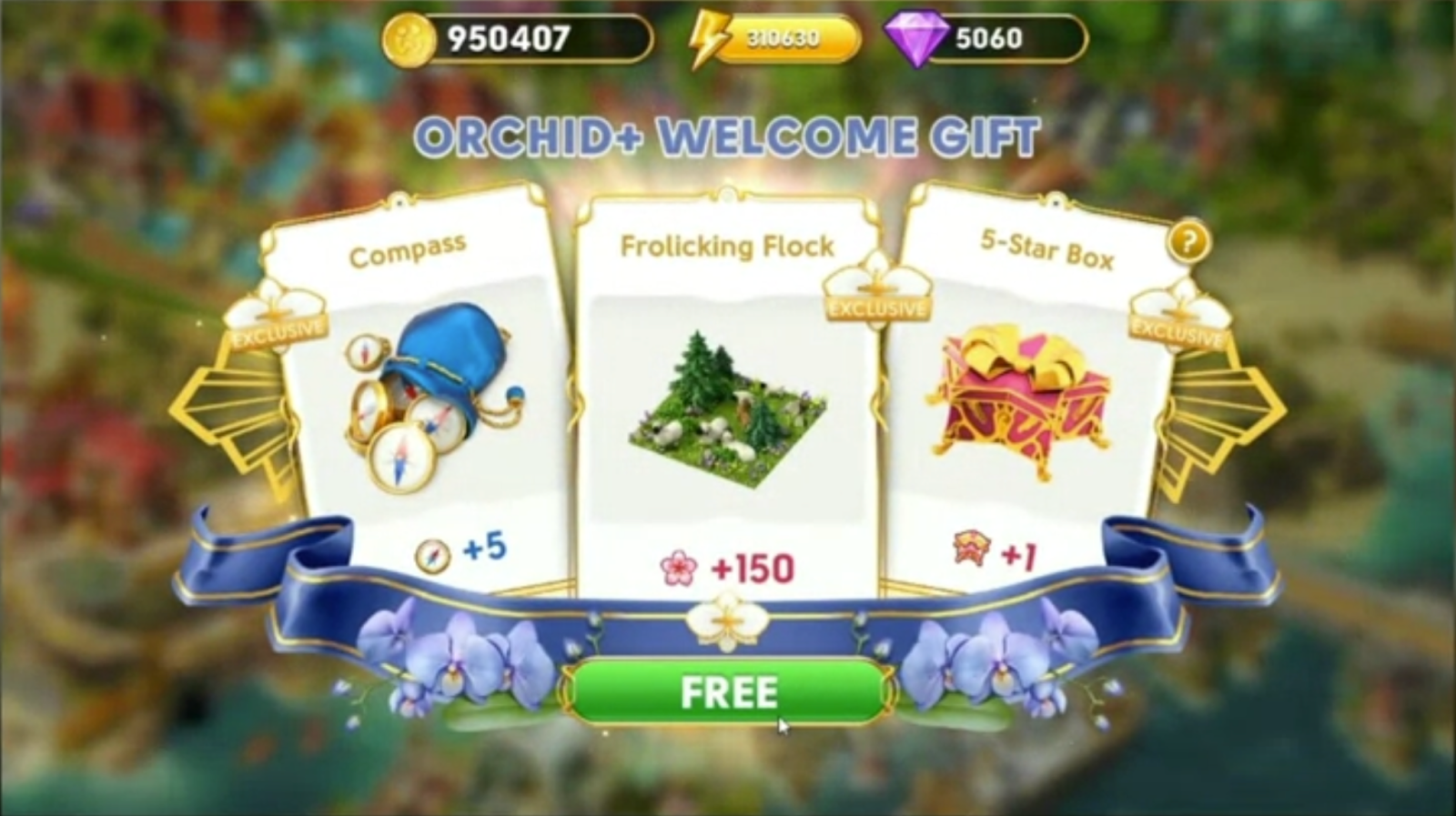
Why didn’t I get my Orchid+ Welcome Gift?
Your Welcome Gift needs to be claimed during your first session on Orchid+ or later if you missed it. Look for a pop-up or check the Offer section in the store.
Is Orchid+ the same as Orchid Society?
No, Orchid+ and Orchid Society are different.
Orchid+ is a special version of the June’s Journey app that gives you extra benefits and features. It’s available to all existing June’s Journey Detectives who play on Android devicesand can be downloaded through https://orchidplus.junesjourney.com.
Orchid Society, on the other hand, is an invitation-only programme for dedicated players.
If you don’t play on Android, you can still enjoy Orchid+ benefits by playing via https://www.junesjourney.com/.
Make sure to log in using the same Facebook or Google credentials linked to your regular June’s Journey account so your progress carries over seamlessly. New account creation is not possible through Orchid+.
Why don’t I have a host?
Playing on Orchid+ doesn’t make you a member of the Orchid Society, and only the Orchid Society members have access to a host. Invitations are based on your overall progress, loyalty, engagement, and activity and are sent out periodically.
Why do I see a security alert when downloading?
This is a standard Android safety protocol. Since Orchid+ is downloaded directly from Wooga and not Google Play, your device may show a warning.
Rest assured – the file is safe to install. If you follow the installation steps provided, you’ll be able to enjoy the Orchid+ experience without any issues.
What are my payment options?
Found something nice for your Orchid island? On Orchid+, you have the flexibility to choose from several payment options when making purchases.
You can pay by credit or debit card, along with many other convenient payment methods available in your country. All payment options are displayed during checkout based on your location.
Our payment service is fully secure and encrypted to protect your information at every step.
We’re also continuously adding new payment methods to make the process as smooth and flexible as possible.
Please note that Capital One cards are currently not supported.
Why doesn’t Orchid+ show my currency?
If your currency isn’t supported yet, prices will appear in USD. But no worries - you can still use the app and make purchases as usual! The currency conversion will be handled automatically, so you’ll be able to complete transactions without any issues. Please note that your bank may apply additional charges for foreign currency transactions and we recommend contacting them directly for more details.
We’re constantly working on expanding the list of supported currencies in the Orchid+ app, and if your currency is added in the future, it will appear directly in the game.